One moment, processing...
Sponsorship
Glossary
Events
SCCE
Contact Us
Login to see members only content
Home
My Profile
Profile
My Contacts
My Contact Requests
My Communities
My Subscriptions
My Favorites
My Networks
My Inbox
My RSS Feeds
My Privacy Settings
My Documents
My Postings
Free Sign-Up
Directory
Find a Member
Advanced Search
My Subscriptions
Post
Communities
All Communities
Libraries
All Libraries
Add a New Entry
My Documents
My Favorites
Search Library
Discussion Groups
All Discussions
Post a Message
Advanced Search
My Postings
My Subscriptions
My Signature
Blogs
View Blogs
Create New Blog
My Blog
Import Blogs
Social
Social Media Compliance community
SCCE Linkedin group
SCCE Linkedin Company page
SCCE Facebook page
@SCCE on Twitter
SCCE Google+
ComplianceVideos on YouTube
Free Sign Up
Communities
All Communities
Libraries
Discussion Groups
Blogs
View Blogs
Create New Blog
My Blog
Import Blogs
Home
Blog Viewer
+
Add a New Blog
My Blog
My Contacts
Most Recent
Top Rated
Most Read
UnPublished
View Profile
Add Contact
Blog This
Contact Author
How to Update your SCCEnet Profile from LinkedIn
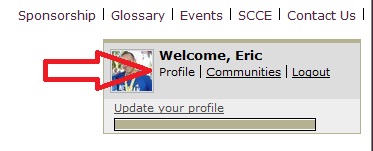
Click "Profile" after you are logged in
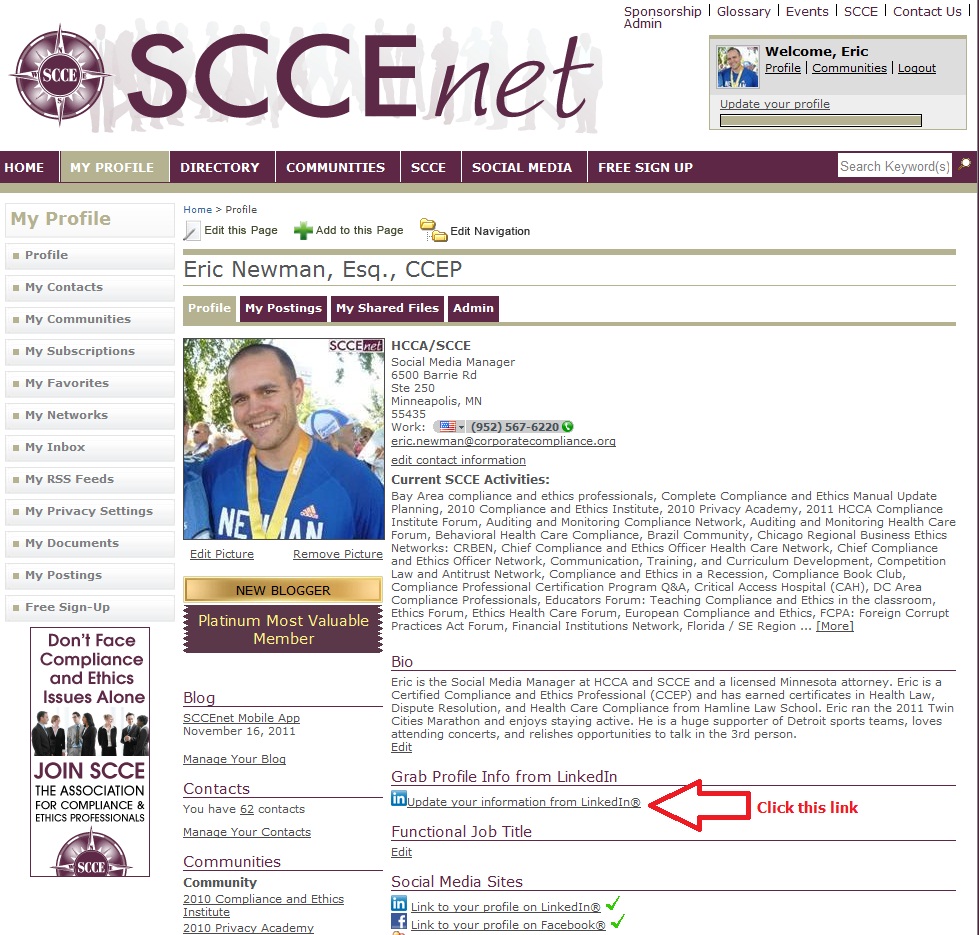
Click the "Update your Information from LinkedIn" Link, underneath the header "Grab Profile Info from LinkedIn"
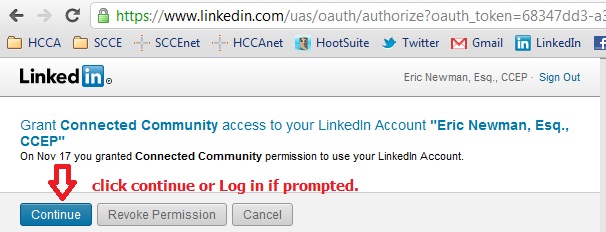
Click continue. You may need to Log in to LinkedIn at this point. (also make sure you have a LinkedIn account!)
Check the boxes next to the information you want transferred from LinkedIn into your SCCEnet profile. Then click "Save and Continue" at the bottom of the screen. If you do not have a profile picture yet, now is the time to get one.
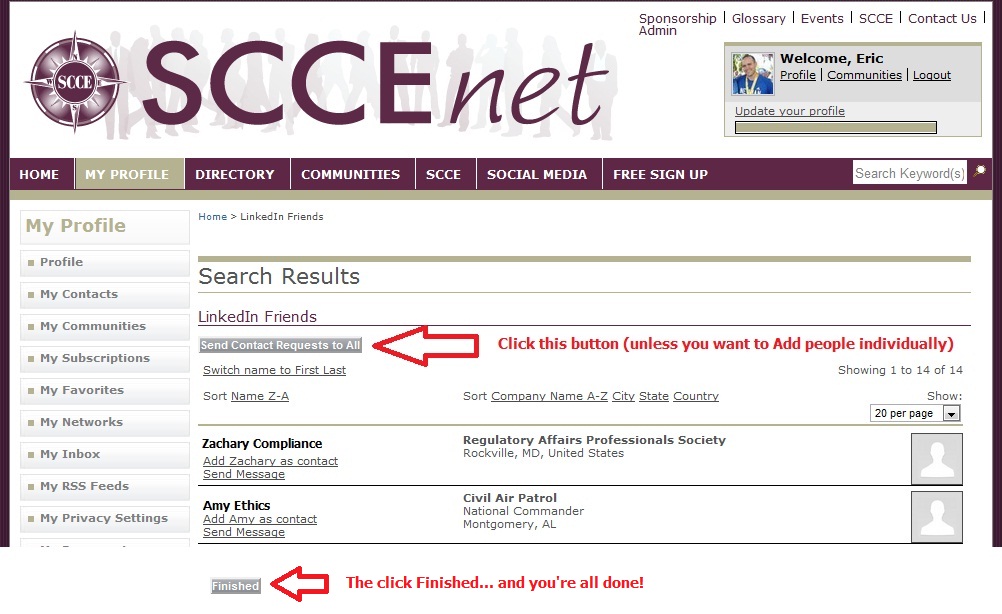
Now choose what LinkedIn contacts you want to connect with on SCCEnet. I suggest just Sending Contact requests to All of them. Scroll to the bottom and click Finished.
Created By:
SCCE Social Media Manager
On:
Thu, Jan 05, 2012 05:45 PM
1 Rating
Your Rating
1
Ratings
0
Comments
1136
Views
Permalink
Copy and paste the link below into other web pages, documents, or email messages to allow immediate, permanent access to this page. Security settings will remain in place and login will be necessary for protected content.
Related Resources
No Related Resource entered.
Comments
No Comments submitted.
Comment
Cancel
Join SCCE
Sponsorship
Free Sign Up
Privacy Policy
Terms of Use
Copyright 2011 by Society of Corporate Compliance and Ethics
Powered by Higher Logic's Connected Community